Showing posts with label SPAM. Show all posts

Monday, November 28, 2016

Software and Tools - Email

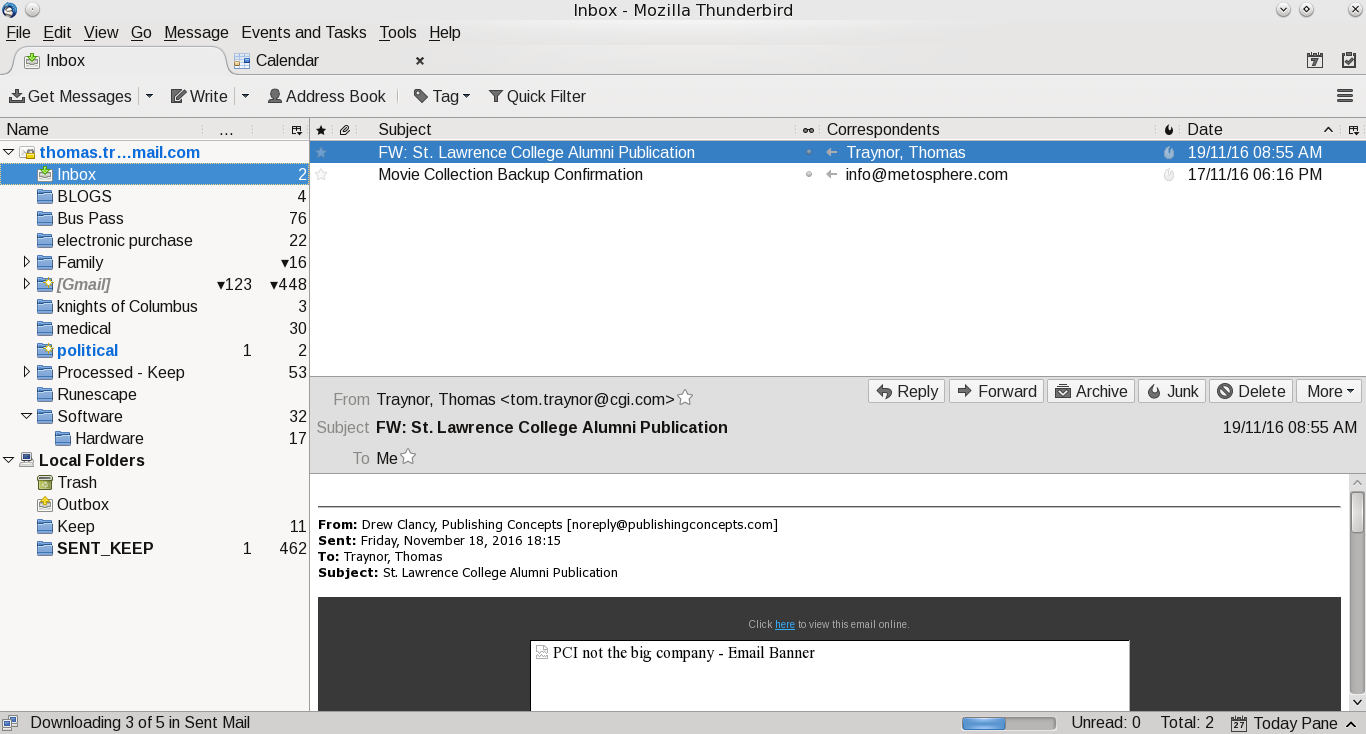
This is the fourth blog on various tools that I use.  Email is a personal preference for what works for you.  Most people I suspect are using Outlook as that is preferred corporate email client and it comes as part of Windows.  My personal preference is actually multiple clients.  My main one is Thunderbird.  It works well in Windows and Linux.  For my Android devices I have two.  GMAIL for Google email (backup client for my Android tablet) and mailbox provided by my ISP.  The last client I use is INBOX from Google.  INBOX is only for my main GMAIL account.  I like this client it as it stays out of my way and allows me to quickly organize and process my mail.

Thunderbird, like Outlook, allows you to create mail rules to categorize (or delete) your email based on rules.  Where I work they use Outlook and I have dozens of rules based on the sender.  The screen prints further in this blog shows the screen, but, at this time my Linux client doesn't have rules as the Windows machine is my main work machine for email (mail from the boss is highest priority and flagged to action immediately, projects go into their own folder).  It doesn't matter what client you use, rules allows you to order your work and focus on what is important.  

In Thunderbird I added an extension to link to my Google Calendar.  I find that handy as I can quickly add/change/delete events when something hits my inbox.  Outlook has that built in and it is a handy option no matter what client you use.

The one thing I never do is open attachments in emails when I don't know the sender.  Even when I know the sender I don't open it up (even in Linux) until I ask if they have sent that file.  My personal preference is to create a folder in my Google Drive, give them access and ask them to upload the file there.  I also have auto-load images in Thunderbird turned off.  Most of the times I don't need to see 'pretty' images and focus just on the text of the message.

The one last client I use is the Google web-mail client.  I like this tool as I can be anywhere and as long as I have access to the internet and a browser I can pick up my mail.

For me I have multiple personal email accounts.
  • My main Google account (linked to this blog);
  • A throwaway account I use for when I am not sure the site will not spam my main Google account.  When it gets too bad I just dump it and create a new throwaway account;
  • A Yahoo account.  This is from many years ago when I didn't have Google mail.  I keep it as it is handy like my throwaway Google account;
  • A Google account for my online gaming.  Some of the sites asks you to register your email account and excluding one game (Runescape) they all use this account;
  • My ISP provides email accounts and I have one set up.  This is for notifications from the ISP and my family usually sends email to this one;

 A few suggestions for your email:

  • If you are using the email from your ISP see if they have spam filters.  If they do, turn them on and use them.  It may not be perfect, but, I find that the one I use is over 99% accurate.  The few times it isn't I flag the email as legitimate and the next time it shows up in my inbox without a problem;
  • If you have an anti-virus and it can integrate with your email client turn it on!  It is another level of defense and I don't see the impact to my client in Windows; 
  • Make use of mail filters.  I use them to categorize my mail and it allows me to focus on what I deem to be important;
  • Guard your email account.  Have a main one for friends and family and only a few others.  For everything else create a throwaway.  If the mail is important you can either forward it to your main email, or, have it as an additional account in your mail client (like Thunderbird does);
Other tools:
  • For those who want to digitally sign your email or encrypt Thunderbird has a support page for this.  At this time I haven't added one; 

Screen Shots of my mail clients

Google Inbox for Android:


My main folder, I like it clean

Google Email for Android:

Main, again clean inbox


Thunderbird:

Mail

Calendar

Extensions

Mail filers

Rules for mail filters


Sunday, November 13, 2016

Possible ad-malware attempt

For the last several days my Android tablet was opening windows at random.  At first I thought it was me, but, yesterday the following happened and the tablet was sitting on the table untouched:

  • Multiple search windows open;
  • Over 12 tabs opened in the browser going to a number of sites with the same prefix.  I won't name it as I don't want them to get the ad revenue;
  • My BANKING app was opened up.  I don't have auto-sign-in there so no damage done.  I checked the bank account from my Linux machine and no activity to my account (yay!);
  • Multiple apps opened up.  Again these had ads so I suspect they were trying to maximize their ad revenues.  Either that or they wanted someone to pay a lot of ad money for spam clicks;
I know what the last app I installed so I suspected that app as they are ad supported.  After I removed the app and let the machine sit for 24 hours I had no more random windows opened so I may have guessed correctly.

I also run AVAST on the machine and I scanned everything and it was clean.  I know if it is very new the scanner may not detect it, but, I wanted to make as sure as possible I wasn't infected with a known virus.

I also sent Google a feedback that the app may have ad-malware and see if there is anything that they could see and do.  May not be much, but, at least I wanted to make them aware of the issue.

Sunday, November 06, 2016

Looks like the U.S. GOP don't vet their email lists

The last few days I have been receiving emails from the Republican party (except for one who was Libertarian) looking for money.  I suspect they bought the list from somewhere and didn't check to see if the recipients is an American citizen (or a person who has a green card).  Google flagged all of them as spam so the time, effort and money was wasted.  Upside for me is that they all have unsubscribe which I used, hopefully they will take the request and remove my address.  It really doesn't matter as they are all flagged as spam by Google.

I checked the FEC (Federal Election Commission) site to confirm what I suspected.  Only U.S citizens can financially contribute (or those with a green card).  For the various emails (except the last one) they all resolved to one common URL.

I can understand getting the rare mail from a Libertarian candidate (or small 3rd parties).  Limited resources (money and people) means buying a list and do a blind mailing and hope for the best.  The Republican party being a major political party should not be doing this.  I thought it would be a well financed, well managed and well resourced operation that would run a tight scripted operation and vet all mailings going out and not buying a list and doing blind mailings.

So far nothing from the Democratic party for email.  Also, NONE of the Canadian political parties have done bulk emails to me.  That may be due to our anti-spam laws would apply to them.


Sunday, May 01, 2016

Another campaign with virus/trojan laden emails


For the last couple of days I have been receiving a number of emails with file attachments.  They are from people I don't know and claiming I have unpaid invoices or they are coming from me with file attachments.  It doesn't matter, when I get email from unknown people with attachments I never open them.  When they are from me I know exactly every note I send myself and I don't open something I don't remember sending.  I checked a number of sites with the note information and found that they are full of nasty programs that will take over your computer.

Notes:

  • If you get email with an attachment from someone you don't know never indulge your curiosity by reading the file, delete the email, empty the trash.
  • If you get email from someone you know, but, are not expecting contact them first and verify that they actually sent the email.  Don't use any links inside, use your own contact list.  If they didn't send it, delete immediately and empty the trash.
  • If you get email that claims to be you and you don't remember sending it, delete immediately and empty the trash.
 
My ISP flagged them as SPAM.

Example text of their claiming you owe them money.  Actually trojan laden attachment.

Friday, December 18, 2009

Five years of spam tracking

After 55 months of tracking spam on Yahoo I think I will finish my tracking of the mail.  Over the time I received almost 19,000 emails of which less than 7,000 were legit.  Over this year the rate has improved to almost 70% legit mail.  Spam and phishing emails are still a problem, but, with the various providers working on their filters and the authorities shutting down the spammers things are improving.

2005 - Legit mail = 1000 which was 50% of my total mail
2006 - Legit mail = 1700 which was 22% of my total mail
2007 - Legit mail = 1800 which was 31% of my total mail
2008 - Legit mail = 1500 which was 69% of my total mail
2009 - Legit mail = 1000 which was 70% of my total mail

Monday, September 21, 2009

SPAM - Unfortunately it is making a comeback

It has been a while since I talked about spam. The last time I noted that the amount was dropping and most of my email were legit. Well that has changed in the last two months. I have noticed that the volume of spam is now rising and most of my email is now spam. Yahoo has excellent filters, but, I have been getting at least one message a week getting through so the spammers are now figuring out how to get past the filters. Google is still good as I don't remember getting anything that was spam in my legit inbox, but, I notice there are a lot more spam messages. The last provider is Bell and I am getting about 1 or 2 emails a month that get through, but, I flag them as spam so that Bell can update their filters.

This will be a continuing battle between ISPs and the spammers. The thing is that the ISPs can only react most of the time after the fact so there is always a small window of opportunity for spammers to hit your inbox. You can help by using the email filters that your ISP provides and when one does get through flag it so that they can update the filters. When you do get a message don't click on the 'unsubscribe' button if it is provided or don't reply to their 'unsubscribe' email address if provided. All you do is confirm that your account is live and we can almost guarantee that you will actually receive more spam rather than less.

I may be paranoid, but, keep your anti-virus, anti-spyware and firewall up-to-date. These spammers may also try to embed scripts or auto-launch programs that will install software on your machine and take it over and add it to their bot network.

You can look at ClamAV, Malwarebytes anti-malware as a starting point for your securing your systems. Secunia also has a good package called PSI that will scan your system to see what is out-of-date, vulnerable, etc and allow you to keep your system-up-to-date. I use these on my home PC when I start up the dual-boot system to run Vista and not Linux.

Update (2009/09/22):
I am now running AVG on my Vista partition.  It seems to do a bit better on the detection of malware and does not impact the performance of the machine in any noticeable way.  I will be still keeping Clam on the Linux portion as I can then use that to scan my external HDD or USB sticks while staying in Linux.

Saturday, June 20, 2009

New Phishing scam - CRA

Earlier this week I got a mail from what purported to be the CRA (Canada Revenue Agency). Looking at the email I saw a grammar error and the way the email was addressed made it look like a scam. My ISP also flagged it as a possible scam. I didn't click on the attached link, but, put my mouse over it to see what the link would resolve to. The proper URL for the CRA is WWW.CRA-ARC.GC.CA. This one had that and a bit more, namely the URL went to a '.COM' site. As this was a new scam to me I forwarded the note to RECOL and reported it as a scam/phishing attempt.

It failed on a few areas:
  • Subject was 'recalculation of you tax refund'. They used 'you' instead of 'your'
  • It was addressed to 'Dear Applicant' rather than my proper name.
  • The URL provided did not end in GC.CA, but, to a COM site which the Government of Canada does not use.
  • I had already got my tax refund and I know that the CRA does not have my main email address for correspondence as I prefer hard-copy rather than email from them.
When I got home I opened the site using Linux as it was fairly safe from trojans and viruses. It asked the following questions:
  • Name and Adress
  • Date of Birth
  • Mother's maiden name
  • Phone number
  • email address
One of the first things firefox did was to warn me that this was a site reported for web forgery. If you don't have firefox I would advise you to download and install this browser ASAP as it is a second level of defense.

Again, if you get an email that claims to be from the government, bank, insurance company or anyone else asking you to key in personal information do not ever use the attached URL, go to their site yourself (using a link you know is legit).

Saturday, March 28, 2009

It has been quiet... too quiet

Not much has been happening here. It is now almost tax time and there are no Linux versions of any tax preparation software for Canada so far. I broke down and picked up QuickTax and installed it on my Vista partition. To say that I am unhappy about this would be a slight understatement. I can understand in a way that companies will cater to the largest segment of the O/S market, but, figure out what has to be anchored to the O/S and what can be independent. If you do that you should be able to market to Linux, OS/X along with Windows and gain a slight competitive advantage by grabbing market share from those of us who use anything but Windows.

On the Linux Distro side I have been playing a bit with KUbuntu. I like the look and feel of it and the latest distro actually booted up on my Dell box. There will be a bit more playing around here to see if
  • Runescape will play
  • My graphic card can be used to its fullest
  • TV tuner
  • my Palm will work
  • Scanner will work (XSANE)
  • Web Camera
  • Software to organize my photo library
KDE 4 looks nice and clean, but, I want more than eye-candy, I want all of my hardware to work to its fullest.

Another little thing and maybe someone out there can point me to the right place. A little while ago I was the photographer at my daughter in-law's baby shower and I took two videos. The camera stored it in AVI format. Linux does not have a problem showing me those, but, they are massive files and I cannot upload 200+ meg videos to facebook to share with the family. I looked quickly at the video editing software, but, I cannot see how I can redo AVI to MPG format and lower the size of the video. I don't want or need 640x480 to show family members some of the funny portions of the part, I just want to be able to share a small, easily downloaded video.

Now about one of my favorite topics, SPAM email. So far this year it has been a minor problem unlike other years (less than 30% spam rate now). However I have noticed the scams have been getting much better. Both for grammar and spelling. When you get a notice that purports to be from your Bank, Insurance Company, ISP wanting private information or to re-enter your security information... DON'T. Never click on any link supplied, but, use the one you type directly into a browser or saved previously in a bookmark. Keep your system up-to-date with all patches, run a virus scanner and have a firewall installed and running.

Wednesday, December 31, 2008

Year end 2008

It is now the last day of 2008 and it has been some time since I talked about spam. This year marked a real drop in the number of spam messages that I have been tracking in Yahoo, but, all my other accounts now get regular spam emails. The troubling part is that they are looking much better that a few years ago and it appears that the spammers are targeting a more select group rather than doing a blanket spam.

Since I started tracking spam mail in June 2005 I have now received a total of 17,579 emails of which 11,589 were spam. That leaves me with 5,990 (34%) of the mails were legit that I asked for. The upside is that this year 69% of my mail was legit (1,529 emails).

A few things that I keep telling everyone and bears repeating here:
  1. If you get mail that purports to be from anyone asking you to re-enter or reverify your account information never click on the link provided. Go directly to their site yourself and check there.
  2. Keep your firewall up-to-date and active. If you don't have a firewall get one and install it. There are a number of good free firewall packages out there.
  3. Keep your anti-virus up-to-date and active. Again, if you don't have this software get one and install it. Like #2 there are a number of excellent packages out there for free that you can download.
  4. Keep your Operating System (O/S) up-to-date and apply all patches immediately. It does not matter what O/S you run, keep your system up-to-date.
  5. Keep a good set of backups. Even if you follow #2-4 hardware does fail at times and having a good current backup will go a long way to restoring all of your critical files.
  6. If you get an email that sounds to good to be true... it probably is.
  7. Never open up file attachments that you don't know who the sender is. Even if you know the sender, check the file first with a current virus scanner and then check with the person before trying to open the file. You are not paranoid, just prudent if you check before doing anything with that file.
  8. Enable viewing of the extension of the file name. Some of the nasty packages are really '.EXE', but, shows '.ZIP' at the end of the name hoping to trick you into trying to open the package.
  9. Change your passwords on a regular basis. Some people use passwords that have never changed in years, use post-it notes with the account and password or make an easily guessed password. You can make passwords that are hard to guess, but, easily remembered. If a cracker can guess your account password then they can use your identity for whatever purposes they want.

Sunday, October 19, 2008

Another scam/spam

My wife received an email last week that purported to be from United Airlines. Even though we run Linux she didn't want to open it up until I had a chance to check it out.

The subject line was [Your Online Flight Ticket N 24097] and the contents of the message was as follows:
Good day,
Thank you for using our new service "Buy airplane ticket Online" on our website.
Your account has been created:

Your login: **Removed**
Your password: **removed**

Your credit card has been charged for $947.90.
We would like to remind you that whenever you order tickets on our website you get a discount of 10%!
Attached to this message is the purchase Invoice and the airplane ticket.
To use your ticket, simply print it on a color printed, and you are set to take off for the journey!

Kind regards,
United Airlines
The first thing I did was to check our credit card to make sure that we were not the victims of identity theft, fortunately we are not. I then checked the file attachment and it showed 'E-ticket.zip.exe'. I checked out via Google about this and found out that there is a scam for the last year with variants on the subject for other airlines. Fortunately we don't use windows so we are fairly safe from the payload. I forwared a note to United Airlines and to quote their reply:
Mr. Traynor, please know that the e-mail you have received is not legitimate as it is not sent by United Airlines.  I would request you to not to open any attachment and provide any personal information.  Rest assured that I have forwarded your concern to our Fraud Investigation Department for their review and investigation.

We truly value your business and always look forward to serving you again
Just a heads up for everyone when you receive something like this not to open the attached file if you are not sure that you are the correct recipient. I would assume that the people behind this are hoping that people are curious enough to open the package and then take over their machines. I also like the fact that United Airlines replied so quickly that the email was not legit and forwarded a copy to their fraud department.


Update - 2008/12/15

CERT has a security notice about this, you can learn more about this scam by clicking on airline ticket email scam.

Tuesday, April 01, 2008

Less spam more mail

I have noticed this year that the amount of spam has dropped dramatically. I have been keeping track of my mail from Yahoo for the legit/spam emails for the last 34 months. For 2005 and 2006 about 80% of my email was spam. Last year it started to improve as only 70% of my email was spam. This year over 50% of my mail is now legit and the volume of mail is down over the same period of 2006/2007. The work that the authorities have been taking in taking down the spammers seems to be working. Hopefully this is a continuing trend and the various spammers are taken out and the bot nets removed.

The only downside is my personal email ID is now getting semi-regular spam, but, I flag the message as spam for my provider and they update their mail filters.

A few reminders:
  • If you get an email from someone and you are not sure about the file attachment call the person, don't open the file.
  • Use your ISP's spam filter.
  • Use the spam filter in your email software.
  • If it is a phishing attempt find out the legit email of the company targeted and send them a short note so that they are aware. Never click on the link within the email. Never send confidential information by email, companies will never ask you for your password, account information!
  • When in doubt remove the email and contact the person. If it is legit they can resend the information.
  • Keep you system up-to-date. It does not matter what O/S you run, keep it up-to-date!
  • If you have anti-virus software, use it and keep it up-to-date!
  • If you have a firewall, use it and keep it up-to-date!
  • You can never be too paranoid, all it takes is one click and the crooks get information that they can use.
  • For your papers/documents/bills at home, shred them before trashing/recycling them. A shredder does not cost very much and personal information that crooks can use is harder to get if it is in very small pieces. Shredders that can handle CDs are not much more expensive than regular shredders and they can also handle credit cards.
  • If you get rid of your old PC make sure that you wipe the hard drive. It does not take a lot for someone to browse the drive and get personal information. If you are recycling the machine take out the drive (if possible) and take a hammer to the drive to really make sure no one can get the data on the drive. I had a neighbor who threw out their machine and I picked it up for spare parts. They actually didn't clean the drive at all and if I was less than honest I could have used that information. All I did was take a 5lb sledgehammer to the drive and then recycled it.

Saturday, November 10, 2007

Spams and Scams

After 2 1/2 years of tracking my email, spam and scams are still show up in my inbasket. No matter what the 'experts' tell us, the spammers will always find a way around their anti-spam routines. Scammers are doing just as well and their messages are getting harder to distinguish from the legit email.

Current spam stats are:

2005 - Legit 50%, spam 50%

2006 - Legit 22%, spam 78%

2007 - Legit 32%, spam 68%


If you get a note from your bank or financial institution asking you to log in for any reason to do some sort of update or verify the 'unusual activity' do not ever click on that link. Your banks or financial institutions will never use that method to inform you of the need to update or verify suspicious activities. Delete the note immediately.

If your ISP offers spam filters make use of them. Our ISP offers it andwe get maybe 1 or 2 spams that make it through the filters. When they do get through I flag the message so that our ISP can improve their filtering.

I also note the spam contents for the business using those services. If it is a company that I know I send that company a short note letting them know that they will not be getting my business in the future. If you get one from a company you know hit them where it hurts... their income by taking your business elsewhere and let them know why!

Tuesday, December 12, 2006

Spam milestone

It has been a while since I wrote about spam. I keep track of all my Yahoo mail as it is the worst. As of today I received 1,600 legit emails. The only problem is that I received 5,628 spams in that same period of time. For every legit email I get in excess of four spams. This is constant for every month, the only exception was in May when 92% of the email was spam.

My GMail account gets about 30+ spams per week and my personal email account gets one or two per month. One suggestion to those who are trying to 'regulate' spam. Why go after just the spammers? Why don't you go after those who buy the services at the same time? If you make it almost impossible for the ones who buy the service to make a profit then the volume will probably drop to a level that is not as annoying for all.

The upside is that Yahoo is very good at recognizing spam. Over 95% is correctly labelled. Only recently has spam gotten into my inbox. The only thing I did was to click on 'spam' to help them recognize future mails that are similar. If your ISP has spam filters I highly recommend that you make use of the facility. You still have to check your spam folder, but, most of the time you can delete them without reading and save yourself a lot of clicking on the delete key. If your ISP does not offer this then use the junk mail tools that your mail package has to make your life easier.

Friday, October 06, 2006

SPAM SUCKS!

The spam bots are still working overtime. The volume is down a bit, but, all of my accounts are now getting spammed. The Yahoo account is the one that gets most of the crap (4,800 spams so far this year). My GMAIL and Sympatico are getting spammed. Fortunately the Sympatico is only one or two spam messages a month, but, it is still a pain. Fortunately I have an option to let Sympatico know it is spam if I read it using the web interface. The GMAIL so far has detected all spam messages correctly and all I do is empty the spam folder every several days.

I know that there are laws in the U.S . and other countries that purports to minimize spamming, but, how about the various government LEAs look at who is buying the spammers services and go after them rather than the spammers themselves as a start. FOLLOW the money people and nail the ones using the services and spam may drop to tolerable levels. SPAM will never go away, but, will go down to a level where 80% of my email is legit rather than 80% spam as it now stands.

A good number of messages now are for stock promotions. For a while I forwarded them to the SEC, but, most of them now are repeats of the same companies so I have stopped for a while. When I find something new I pass it on.

For everyone who are using Windows (or Linux or Mac OS for some of the below):
  • Are you using a firewall?
  • Are you using an anti-virus canner package?
  • Are you using a spyware scanner package?
  • Are you keeping your software up-to-date?
  • Are you keeping Windows up-to-date using Windows update?
If you do the above you can help by making sure that your machine has not been taken over and made into a 'bot' that spammers can use for routing the mail or DDOS attacks or to steal your personal information. We also have to do our part in securing our machines and networks too. Patching and scanning does take time, but, you can schedule it when you are not using the machine and help do your part.

Monday, August 07, 2006

12 months of spam

It has been a few postings since I complained about spam. For over the last year I have been tracking the messages I receive in my Yahoo account. During that time my GMail and personal accounts have started to receive spam, but, Yahoo endures an ongoing flood. Here is a summary (June 2005 to May 2006):

Legit = 1,716 messages
Spam = 3,365 messages

Of the spam 223 were obvious scams and another 118 were phishing attemps. The worst month was May when I endured a flood of 1,767 spam messages while receiving only 141 legit emails.

For those who get spam:
  1. Don't 'unsubscribe'. When you reply with the 'unsubscribe' spammers know that they got a live account and your inbasket will probably be flooded.
  2. If your ISP provides spam filtering use it!
  3. For phishing attempts forward them to the financial institution for them to handle. Don't ignore them as this gives the spammer time to hurt some one else.
  4. Create a 'throw-away' account in Yahoo, Hotmail or GMail. When you fill in those registration cards use that account and not your personal.
  5. If it is an obvious spam don't read the message. Discard it. There are ways for the spammer to know the message was read. The easiest is to embed a graphic link so that when you open the mail it send a request to send the picture and the spammer knows it is a live account.

Here is a quick list of a number of email addresses to forward those phishing attempts to:
  • Bank of America - abuse@bankofamerica.com
  • Barklays - internetsecurity@barclays.co.uk
  • Chase - abuse@chase.com
  • EBay - spoof@ebay.com
  • MSN - abuse@msn.com
  • PayPal - spoof@paypal.com
  • VISA - askvisacorporate@visa.com

A few more things you should be doing:
  • Keep your anti-virus up-to-date.
  • Keep your firewall up-to-date.
  • Keep your system patched. If you are using Windows use 'Windows Update'.
  • Backup all of your critical data to CDs (or DVD) on a regular basis.